Category: Guides

  • How to Create a Quiz Lead Magnet That Actually Converts (In Under 60 Seconds)

    How to Create a Quiz Lead Magnet That Actually Converts (In Under 60 Seconds)

    You did everything the marketing gurus told you to do. You identified your target audience, built a beautiful website, and drove traffic through social media and SEO. You sit back, ready for the email subscribers to roll in.

    But a week goes by, and your dashboard shows an agonizing reality: plenty of page views, but a flatlining email list.

    The truth is, 97% of your website visitors leave without buying—and most of them never come back. Why? Because cold traffic equals zero sales. You need to earn their trust first, and simply asking them to “Subscribe to my newsletter” doesn’t cut it anymore.

    Enter the interactive quiz.

    Unlike a generic 50-page PDF that collects digital dust on someone’s desktop, a quiz lead magnet is engaging, personalized, and boasts notoriously high conversion rates. Here is the step-by-step blueprint to creating a quiz lead magnet that turns casual scrollers into high-quality leads.

    Why Quizzes Are the Ultimate Lead Magnet

    Before we dive into the how, let’s talk about the why.

    1. Curiosity is a powerful hook. People love learning about themselves. A well-titled quiz (e.g., “What is Your Creator Archetype?” or “What’s Your Hidden SEO Roadblock?”) creates an irresistible itch that visitors have to scratch.
    2. Personalized Value. Instead of generic advice, a quiz allows you to segment your audience and deliver highly specific solutions based on their exact answers.
    3. Smart Tagging. When synced with tools like Mailchimp or ConvertKit, you can automatically tag leads based on their quiz results, allowing you to send hyper-targeted email sequences that actually convert.

    Step 1: Start with the Ultimate Result

    The biggest mistake creators make is designing the questions first. Always start with the results. Think about the distinct buckets your audience falls into. If you are a fitness coach, your buckets might be The Busy Parent, The Gym Newbie, and The Plateaued Athlete. If you run a marketing agency, it might be The Organic Growth Hustler vs. The Paid Ads Scaler.

    Map out 3 to 5 clear, actionable results. When your prospect finishes the quiz, the result should feel like a lightbulb moment.

    Step 2: Write Irresistible, Outcome-Driven Questions

    Keep your quiz short and punchy. Aim for 5 to 8 questions—just enough to make the result feel accurate, but short enough that they don’t abandon the page out of boredom.

    Instead of boring demographic questions like “How old are you?”, ask scenario-based questions that agitate their pain points:

    • “When you sit down to write an email to your list, how do you usually feel?”
    • “What is the number one thing stopping you from scaling your business today?”

    Make the answers distinct so that each choice clearly routes them to one of the results you mapped out in Step 1.

    Step 3: The “Value First” Opt-in Page

    This is where the magic happens. Your visitor has answered all the questions, and they are dying to see their result.

    Right before you reveal it, you present a simple email capture form. The psychology here is perfect: they have already invested time into the quiz, so the friction of handing over an email address feels minuscule compared to the payoff of getting their personalized results.

    Offer them immediate value. Let them know that by entering their email, they won’t just see their quiz result, but they’ll also get a curated action plan sent straight to their inbox. You give value → You get trust.

    Step 4: Build and Launch (Without the Tech Headaches)

    Here is where most people get stuck. Manually creating an interactive quiz takes weeks. You have to write the logic, design a conversion-optimized landing page, set up the email delivery, and connect the APIs to your CRM. By the time you figure it all out, your motivation is gone.

    But it doesn’t have to take weeks. With Leaom, it takes 60 seconds.

    At Leaom, we built an AI-powered engine specifically for modern creators, coaches, and agencies who want to skip the tech hurdles. Here is how it works:

    1. Tell Us Your Niche: Enter your topic, audience, and the goal of your quiz.
    2. AI Builds It All: Our AI instantly writes your quiz questions, maps the logic, designs a high-converting landing page, and drafts the persuasive copy.
    3. Go Live & Collect Leads: Share your unique link. When visitors opt-in, your leads sync automatically to Mailchimp, HubSpot, ConvertKit, or Zapier. No CSV exports, no manual work.

    Stop Guessing. Start Converting.

    If you have an audience, you cannot afford to let 97% of your traffic slip through the cracks. It’s time to stop paying for clicks that don’t convert and start owning the relationship with your visitors.

    Ready to launch your first quiz? Build your interactive quiz lead magnet for free with Leaom today and watch your email list grow on autopilot.
  • The Ultimate Website Kickoff Checklist: 5 Steps to Launch Your Funnel in Under an Hour

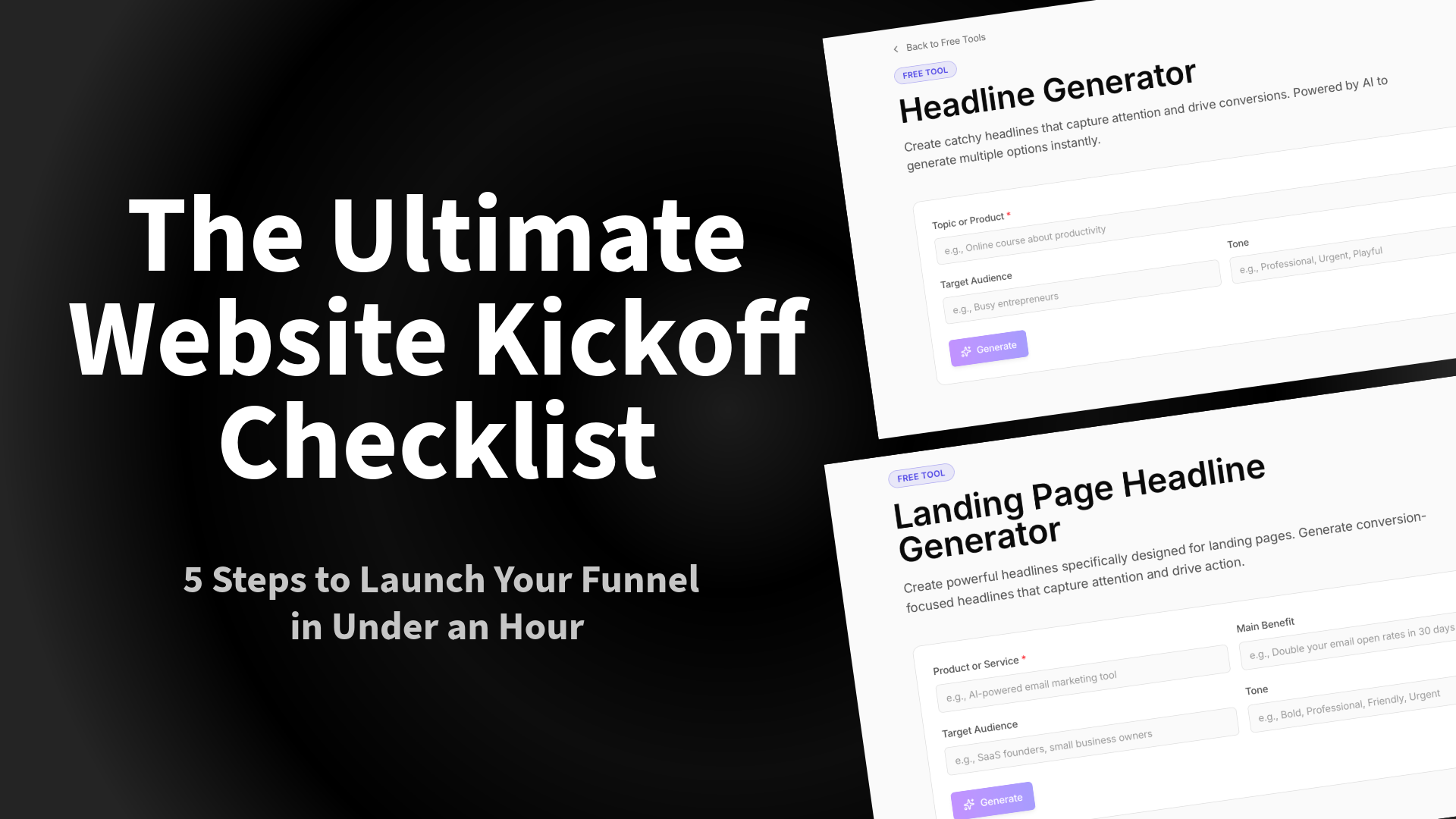
    The Ultimate Website Kickoff Checklist: 5 Steps to Launch Your Funnel in Under an Hour

    The number one reason coaches, agencies, and creators fail to launch isn’t a lack of talent. It’s “Setup Paralysis.”

    You spend three weeks agonizing over the logo, four days rewriting the bio, and zero minutes actually building the asset that collects leads. Whether you are an agency launching a client site or a coach dropping a new program, speed is your best friend.

    We analyzed the most successful launches on the Leaom platform and boiled them down to a 5-step “Kickoff Checklist.” The best part? You don’t need to write everything from scratch.

    Here is how to go from “Idea” to “Live” using the right tools.

    Step 1: Nail the H1 (Before You Design)

    Tool Needed: Landing Page Headline Generator

    Most people design the page first, then try to cram text into the boxes. This is backward. Your design should support your copy, and your copy starts with the Headline (H1).

    If your headline is weak, your bounce rate will be high, no matter how pretty the CSS is. Don’t stare at a blank cursor. Use a Headline Generator to create 10 variations of your value proposition.

    • Bad: “We offer coaching services.”
    • Good: “Reclaim 10 Hours a Week: The Executive Coaching Program for Burned-Out Founders.”

    Action Item: Generate 3 options and pick the one that promises the specific result.

    Step 2: Choose “Active” Bait Over “Passive” Bait

    Tool Needed: Lead Magnet Calculator or Quiz Builder

    If your “Website Kickoff Checklist” involves uploading a generic PDF, stop. In 2026, users are tired of downloading files they never read.

    To capture the lead, give them an immediate result.

    • For SaaS: Embed a pricing ROI calculator.
    • For Fitness Coaches: Build a “Metabolic Type Quiz.”
    • For Agencies: Use a “Website Health Scorecard.”

    Interactive tools typically see 2-3x the conversion rate of static PDFs because they deliver personalized value instantly.

    Step 3: The “Plumbing” Check (Integrations)

    Resource: Leaom Integrations

    A funnel that doesn’t capture data is just a brochure. Before you go live, you must verify your data flow. The most common mistake we see in our Agency Checklist is broken form connections.

    Ensure your interactive tool is talking to your CRM:

    • ActiveCampaign Users: Tag users based on their quiz results (e.g., “Tag: High_Budget”). See Integration guide.
    • ConvertKit/Mailchimp: Ensure the welcome sequence triggers immediately upon submission.

    Step 4: The Traffic Engine (Social Setup)

    Tool Needed: Social Media Caption Generator

    You hit “Publish.” Now what?

    You need to drive traffic immediately. But writing LinkedIn posts, Tweets, and Instagram captions takes almost as much energy as building the site.

    Don’t let “writer’s block” delay your promotion. Use a Caption Generator to turn your new Headline (from Step 1) into a week’s worth of social posts.

    • Post 1: The “Problem/Agitate/Solution” framework.
    • Post 2: The “Behind the Scenes” of the launch.
    • Post 3: Social proof/Testimonial.

    Step 5: The Final Pre-Flight Audit

    Tool Needed: Freelance Kickoff Checklist

    Before you share the link, run through the “stupid check”:

    1. Mobile Responsiveness: Does the calculator/quiz work on an iPhone Mini?
    2. 404 Pages: Do broken links redirect home?
    3. Speed: Are your images compressed?
    4. Offer Clarity: Can a stranger understand what you do in 5 seconds?

    Summary

    You don’t need a 3-month development cycle. You need a hook, an interactive offer, a working form, and a promotion plan.

    Ready to start checking boxes? Go to the Free Tools Dashboard and build your first asset today.

  • How to Build a Lead Magnet Funnel That Fills Your Coaching Roster

    How to Build a Lead Magnet Funnel That Fills Your Coaching Roster

    You have a website. You have a social media presence. But do you have a system that turns strangers into paying coaching clients while you sleep?

    If you are relying on “hope marketing”—hoping someone sees your post and decides to DM you—you are leaving money on the table. You need an automated Lead Magnet Funnel.

    Here is the simple 4-step framework to building one that works.

    Step 1: Identify the “Bleeding Neck” Problem

    Your lead magnet should not try to fix your client’s entire life. It should fix one urgent, annoying problem they have right now.

    • Bad: “How to Get Fit.” (Too broad)
    • Good: “How to Fix Your Posture at Your Desk in 5 Minutes.” (Specific, urgent, actionable)

    Step 2: Create the Asset

    Whether it’s a PDF, a video, or a checklist, create the content.

    • Keep it simple: It doesn’t need to be a 50-page ebook. In fact, shorter is often better. Your goal is to give them a “Quick Win.”
    • Design matters: If it looks amateur, they will assume your coaching is amateur. Use professional tools or templates to ensure it looks polished.

    Step 3: Build the Landing Page

    This is the most critical technical step. You need a dedicated page where the only thing a user can do is sign up for your lead magnet.

    • Headline: clearly state the benefit.
    • Bullets: List 3-5 things they will learn or get.
    • The Form: Ask for their First Name and Email.
    • The Tech: You don’t need a developer. Using a Lead Magnet Builder allows you to drag and drop these pages together in minutes.

    Step 4: The Follow-Up (The “Nurture”)

    Once they download the file, your job isn’t done. You need an automated email sequence that welcomes them.

    • Email 1: Deliver the asset immediately.
    • Email 2 (Day 1): Ask them if they used it.
    • Email 3 (Day 3): Share a related story or client win.
    • Email 4 (Day 5): Invite them to a discovery call.

    Why Automation Saves Your Business

    By building this once, you create an asset that works for you 24/7. Every time you post on social media, you aren’t just getting “likes”—you are driving traffic to a system that captures leads.

    Ready to stop chasing clients and start attracting them? Try Leaom’s Lead Magnet Builder to launch your funnel today.